Monday, July 14, 2025

PostgreSQL installation on windows.

 PostgreSQL installation on windows.


Download postgresql using below

https://www.enterprisedb.com/downloads/postgres-postgresql-downloads

 Open exe file.

Once you Download PostgreSQL, open the downloaded exe and Click next on the install welcome screen.


Update location.

1. Change the Installation directory if required, else leave it to default

2. Click Next


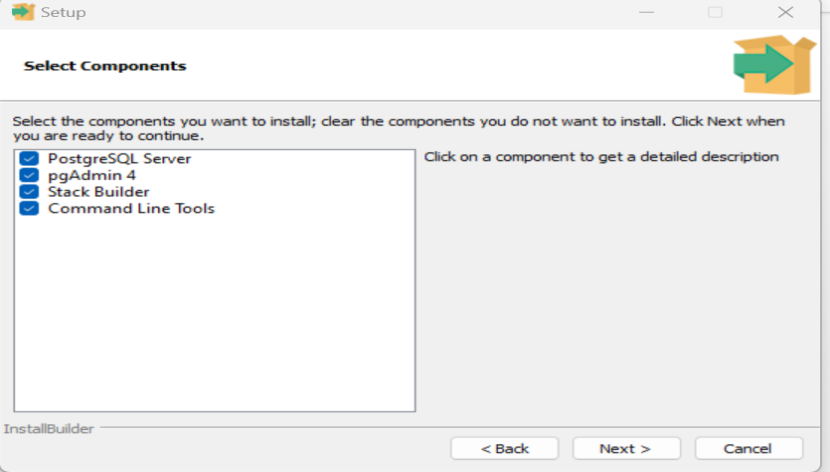
Select components.

1. You may choose the components you want to install in your system. You may uncheck Stack Builder

2. Click Next


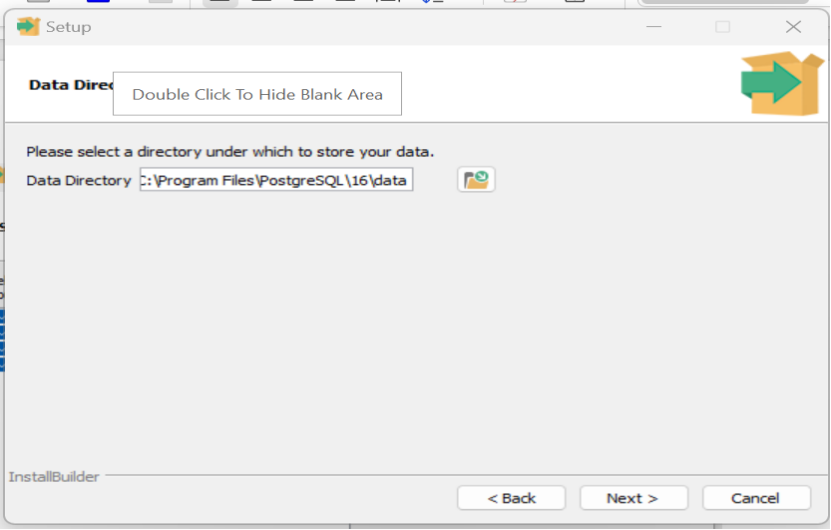
Check data location.

1. You may change the data location

2. Click Next


 Enter password.

1. Enter super user password. Make a note of it

2. Click Next


Check port option.

1. Leave the port number default

2. Click Next


Check summary.

1. Check the pre-installation summary:

2. Click Next


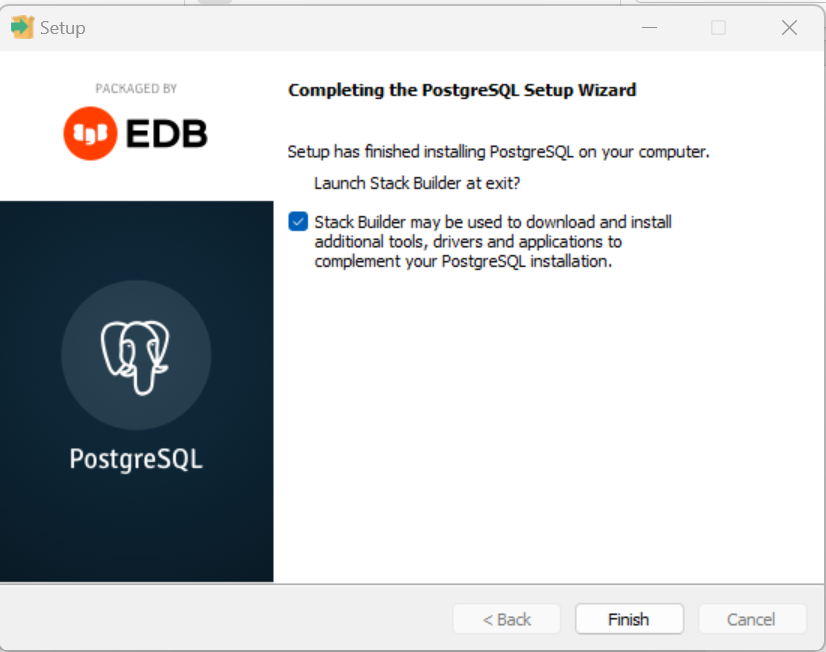
Launch PostgreSQL.
To launch PostgreSQL go to Start Menu and search pgAdmin 4


ODI Repository version Upgrade 12.1.3.0.0 to 12.2.1.2.6


ODI Repository version Upgrade 12.1.3.0.0 to 12.2.1.2.6


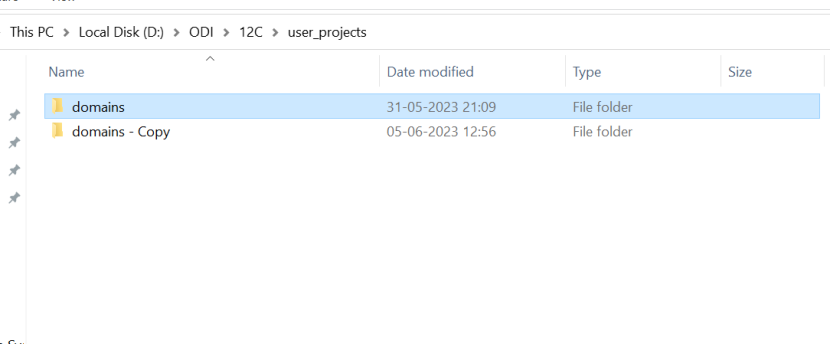
Step 1 : Take domain backup


Step 2:- Go to  oracle common upgrade location - >D:\ODI\12C\oracle_common\upgrade\bin


Run ua windows batch file


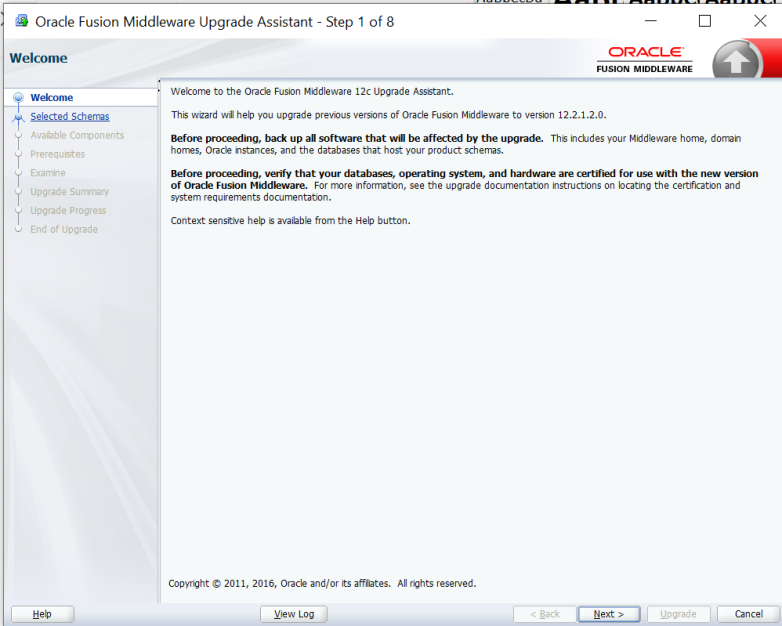
Step 3:-  Once run batch file its started to running


Step 4:- Read the given notes and proceed with upgrade part.


Step 5:- Select that individually selected schemas.


Step 6:- Select ODI componets to be upgrade


Step 7:- Check the prerequestes and select all thats


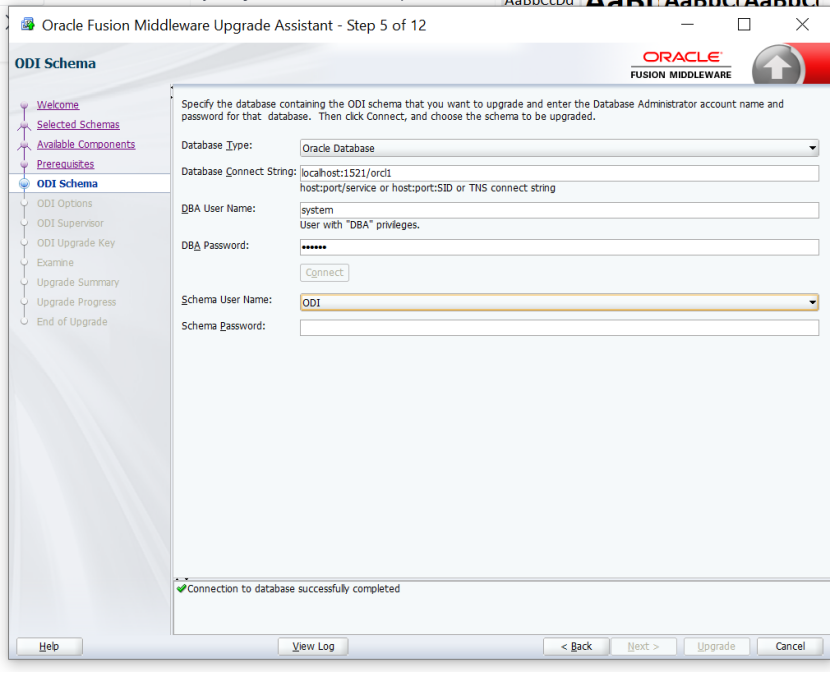
Step 8:- Provide the correct Database connections:


Step 9: for ODI schema we can check with ODI GUI


Step 10:- Provide correct database ODI schema name and password


Step 11: select all upgrade options and click next


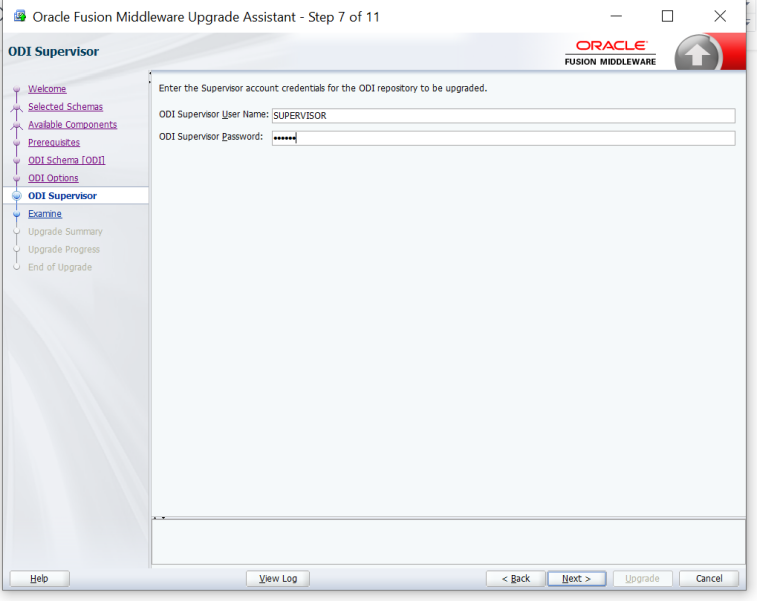
Step 12:- Enter the ODI repository supervisor user name and password to upgrade ODI repository


Step 13- Its shows the source version and upgrade status as ready to upgrade


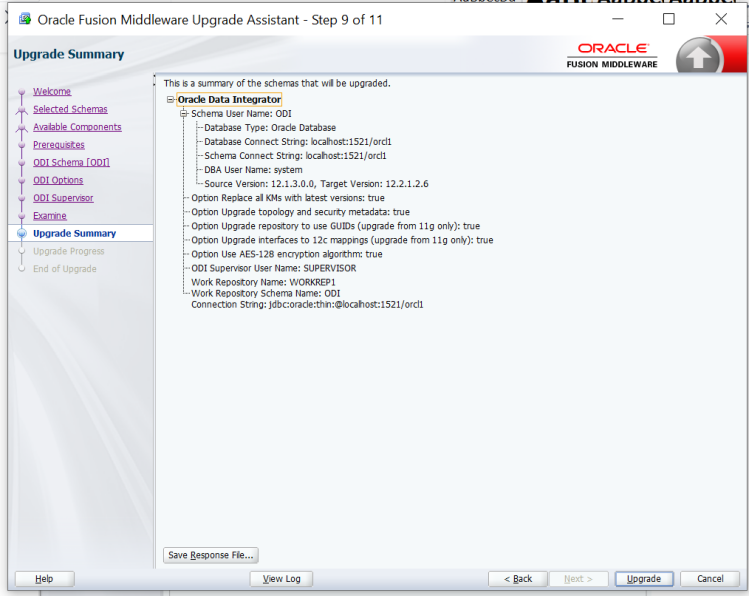
Step 14- Read the summary of upgrade note the target version:-


Step 15- Upgrde in progress


Step 16:- ODI upgrade has been completed successfully.


Step 17:- log file and upgrade status message


Thursday, June 26, 2025

Oracle E-Business Suite profile option values at different levels

 Oracle E-Business Suite profile option values at different levels


SELECT 

    p.profile_option_name AS short_name,                        -- Internal profile option name

    n.user_profile_option_name AS name,                         -- User-friendly profile name

    DECODE(v.level_id,                                          -- Level where the profile is set

           10001, 'Site',

           10002, 'Application',

           10003, 'Responsibility',

           10004, 'User',

           'UnDef') AS level_set,

    v.level_value AS level_val_id,                              -- ID of the level value (e.g., user_id, app_id)


    -- Get the actual name/key of the level value (e.g., user name, application short name)

    DECODE(v.level_id,

           10001, 'Site',

           10002, (SELECT application_short_name 

                   FROM fnd_application 

                   WHERE application_id = v.level_value),

           10003, (SELECT responsibility_key 

                   FROM fnd_responsibility 

                   WHERE responsibility_id = v.level_value 

                     AND application_id = v.application_id),

           10004, (SELECT user_name 

                   FROM fnd_user 

                   WHERE user_id = v.level_value),

           'UnDef') AS level_val_name,


    v.profile_option_value AS value                             -- Actual profile value set

FROM 

    fnd_profile_options p,

    fnd_profile_option_values v,

    fnd_profile_options_tl n

WHERE 

    p.profile_option_id = v.profile_option_id (+)

    AND p.profile_option_name = n.profile_option_name

    AND UPPER(n.user_profile_option_name) LIKE UPPER('%&ProfileName%');


Analyzing Redo Generation by Objects and SQL Using AWR Snapshots

 Analyzing Redo Generation by Objects and SQL Using AWR Snapshots


1. Redo Logs Generated by Objects in a Time Range


-- Shows objects generating the most redo (block changes) during a given time period


SELECT 

    TO_CHAR(begin_interval_time, 'YYYY_MM_DD HH24:MI') AS snap_time,

    dhsso.object_name,

    SUM(db_block_changes_delta) AS redo_blocks

FROM 

    dba_hist_seg_stat dhss,

    dba_hist_seg_stat_obj dhsso,

    dba_hist_snapshot dhs

WHERE 

    dhs.snap_id = dhss.snap_id

    AND dhs.instance_number = dhss.instance_number

    AND dhss.obj# = dhsso.obj#

    AND dhss.dataobj# = dhsso.dataobj#

    AND begin_interval_time BETWEEN 

        TO_DATE('2023_07_06 01', 'YYYY_MM_DD HH24') AND 

        TO_DATE('2023_07_06 07', 'YYYY_MM_DD HH24')

GROUP BY 

    TO_CHAR(begin_interval_time, 'YYYY_MM_DD HH24:MI'),

    dhsso.object_name;


2. Redo Logs Generated by a Specific Object Over Time

-- Shows how much redo a specific object (by name) generated across AWR snapshots

SELECT 
    TO_CHAR(begin_interval_time, 'YYYY_MM_DD HH24:MI') AS snap_time,
    SUM(db_block_changes_delta) AS redo_blocks
FROM 
    dba_hist_seg_stat dhss,
    dba_hist_seg_stat_obj dhsso,
    dba_hist_snapshot dhs
WHERE 
    dhs.snap_id = dhss.snap_id
    AND dhs.instance_number = dhss.instance_number
    AND dhss.obj# = dhsso.obj#
    AND dhss.dataobj# = dhsso.dataobj#
    AND dhsso.object_name = 'XDMC_MS_MRP_IBP_DATA'   -- Replace with your object name
GROUP BY 
    TO_CHAR(begin_interval_time, 'YYYY_MM_DD HH24:MI');


3. SQLs Involving Specific Object That Generated Redo

-- Identify SQLs that involved a given object and may have generated redo

SELECT 
    TO_CHAR(begin_interval_time, 'YYYY_MM_DD HH24:MI') AS snap_time,
    DBMS_LOB.SUBSTR(sql_text, 4000, 1) AS sql_text,
    dhss.instance_number,
    dhss.sql_id,
    executions_delta,
    rows_processed_delta
FROM 
    dba_hist_sqlstat dhss,
    dba_hist_snapshot dhs,
    dba_hist_sqltext dhst
WHERE 
    UPPER(dhst.sql_text) LIKE '%XDMC_MS_MRP_IBP_DATA%'  -- Replace with object name
    AND dhss.snap_id = dhs.snap_id
    AND dhss.instance_number = dhs.instance_number
    AND dhss.sql_id = dhst.sql_id;


4. Snap ID and Runtime Info for a Given SQL ID

-- Get detailed runtime history for a specific SQL_ID using AWR

SELECT 
    a.instance_number AS inst_id,
    a.snap_id,
    a.plan_hash_value,
    TO_CHAR(begin_interval_time, 'DD-MON-YY HH24:MI') AS btime,
    ABS(EXTRACT(MINUTE FROM (end_interval_time - begin_interval_time)) + 
        EXTRACT(HOUR FROM (end_interval_time - begin_interval_time)) * 60 +
        EXTRACT(DAY FROM (end_interval_time - begin_interval_time)) * 24 * 60) AS minutes,
    executions_delta AS executions,
    ROUND(ELAPSED_TIME_delta / 1000000 / GREATEST(executions_delta, 1), 4) AS "avg duration (sec)"
FROM 
    dba_hist_sqlstat a,
    dba_hist_snapshot b
WHERE 
    a.sql_id = '&sql_id'
    AND a.snap_id = b.snap_id
    AND a.instance_number = b.instance_number
ORDER BY 
    snap_id DESC,
    a.instance_number;

Oracle EBS (E-Business Suite) Concurrent Request Monitoring Queries

 Oracle EBS (E-Business Suite) Concurrent Request Monitoring Queries


1. Check Currently Running Concurrent Requests

-- Display details of currently running concurrent requests

SET PAGES 1000 LINES 1000 PAGESIZE 1000;

COL program FOR a80;


SELECT 

    a.request_id,

    DECODE(a.phase_code, 'R', 'Running', 'Normal') AS Phase,

    TO_CHAR(a.actual_start_date, 'DD-MON-RRRR HH24:MI:SS') AS start_time,

    SUBSTR(b.user_concurrent_program_name, 1, 80) AS program

FROM 

    apps.fnd_concurrent_requests a,

    apps.fnd_concurrent_programs_tl b

WHERE 

    a.concurrent_program_id = b.concurrent_program_id

    AND a.status_code = 'R'

ORDER BY 

    start_time;


2. Check Running Requests With SID and Session Info

-- Show session and OS details of currently running concurrent requests
SET LINES 200
SET PAGES 1000

COL spid     FOR a10
COL process  FOR a10
COL pgmname  FOR a50
COL username FOR a15
COL args     FOR a50
COL sid      FOR 9999

SELECT 
    fcr.request_id,
    fcpt.user_concurrent_program_name AS pgmname,
    TO_CHAR(fcr.actual_start_date, 'DD-MON-YY HH24:MI:SS') AS stdate,
    s.sid,
    s.serial#,
    s.status,
    TO_CHAR(s.logon_time, 'DD-MON-YY HH24:MI:SS') AS logon,
    ROUND(s.last_call_et / 60) AS LCT, -- Last Call Time in minutes
    fu.user_name AS username
FROM 
    applsys.fnd_concurrent_requests fcr,
    applsys.fnd_concurrent_programs_tl fcpt,
    gv$session s,
    gv$process p,
    applsys.fnd_user fu
WHERE 
    fcr.phase_code = 'R'
    AND fcr.status_code IN ('R','T','W')
    AND s.process (+) = fcr.os_process_id
    AND s.inst_id = p.inst_id (+)
    AND s.paddr = p.addr (+)
    AND p.spid = fcr.oracle_process_id
    AND fcr.concurrent_program_id = fcpt.concurrent_program_id
    AND fcr.program_application_id = fcpt.application_id
    AND fcpt.language = USERENV('LANG')
    AND fcr.requested_by = fu.user_id
    AND fcpt.user_concurrent_program_name NOT IN ('Report Set', 'Request Set Stage')
ORDER BY 
    logon DESC;


3. Running Requests with Argument Details

-- Shows running requests along with their input arguments
SET LINES 200
SET PAGES 1000
COL program FOR a40
COL user_name FOR a20

SELECT 
    a.request_id,
    DECODE(a.phase_code, 'R', 'Running', 'Normal') AS Phase,
    TO_CHAR(a.actual_start_date, 'DD-MON-RRRR HH24:MI:SS') AS start_time,
    SUBSTR(b.user_concurrent_program_name, 1, 40) AS program,
    SUBSTR(a.argument_text, 1, 60) AS argument,
    c.user_name
FROM 
    apps.fnd_concurrent_requests a,
    apps.fnd_concurrent_programs_tl b,
    apps.fnd_user c
WHERE 
    a.concurrent_program_id = b.concurrent_program_id
    AND a.status_code = 'R'
    AND a.requested_by = c.user_id
ORDER BY 
    start_time;


4. Historical Completed Requests for a Specific Program

-- Show completed requests for a given program name within the last 7 days
SET LINES 200
SET PAGES 1000
COL user_name FOR a20
COL argument_text FOR a60

SELECT 
    a.request_id,
    TO_CHAR(a.actual_start_date, 'DD-MON HH24:MI') AS start_date,
    TO_CHAR(a.actual_completion_date, 'DD-MON HH24:MI') AS end_date,
    ROUND(((a.actual_completion_date - a.actual_start_date) * 24 * 60 * 60 / 60), 2) AS process_time_mins,
    a.phase_code AS P,
    a.status_code AS S,
    a.argument_text,
    d.user_name
FROM 
    apps.fnd_concurrent_requests a,
    apps.fnd_concurrent_programs b,
    apps.fnd_concurrent_programs_tl c,
    apps.fnd_user d
WHERE 
    a.concurrent_program_id = b.concurrent_program_id
    AND b.concurrent_program_id = c.concurrent_program_id
    AND a.requested_by = d.user_id
    AND TRUNC(a.actual_completion_date) >= TRUNC(SYSDATE - 7)
    AND c.user_concurrent_program_name LIKE '%&Concurrent_program_name%'
ORDER BY 
    start_date ASC;


5. Last 300 Days Completion Status for a Specific Program

-- Query to list executions of a specific program within the last 300 days with arguments
SELECT 
    TO_CHAR(actual_start_date, 'DD-MON-YY HH24:MI:SS') AS start_date,
    TO_CHAR(actual_completion_date, 'DD-MON-YY HH24:MI:SS') AS end_date,
    phase_code,
    status_code,
    ROUND(((actual_completion_date - actual_start_date) * 24 * 60 * 60 / 60), 2) AS process_time_mins,
    request_id,
    TO_CHAR(request_date, 'DD-MON-YY HH24:MI:SS') AS request_date,
    requestor,
    argument_text,
    program
FROM 
    xxfmit.FM_SUMMARY_DETAILS
WHERE 
    program LIKE '%FM GSTR-2 Report Format-1%'
    AND TRUNC(actual_completion_date) >= TRUNC(SYSDATE - 300)
    AND argument_text LIKE '%27AAACF2630E1Z5, , NOV-22%'
ORDER BY 
    request_id DESC;

Beyond No-Code: How Oracle AI Agent Studio Uses MCP, Governance, and AI-Unit Monitoring to Build Production-Ready Industry Agents

  Beyond No-Code: How Oracle AI Agent Studio Uses MCP, Governance, and AI-Unit Monitoring to Build Production-Ready Industry Agents Recentl...